Blog

📖
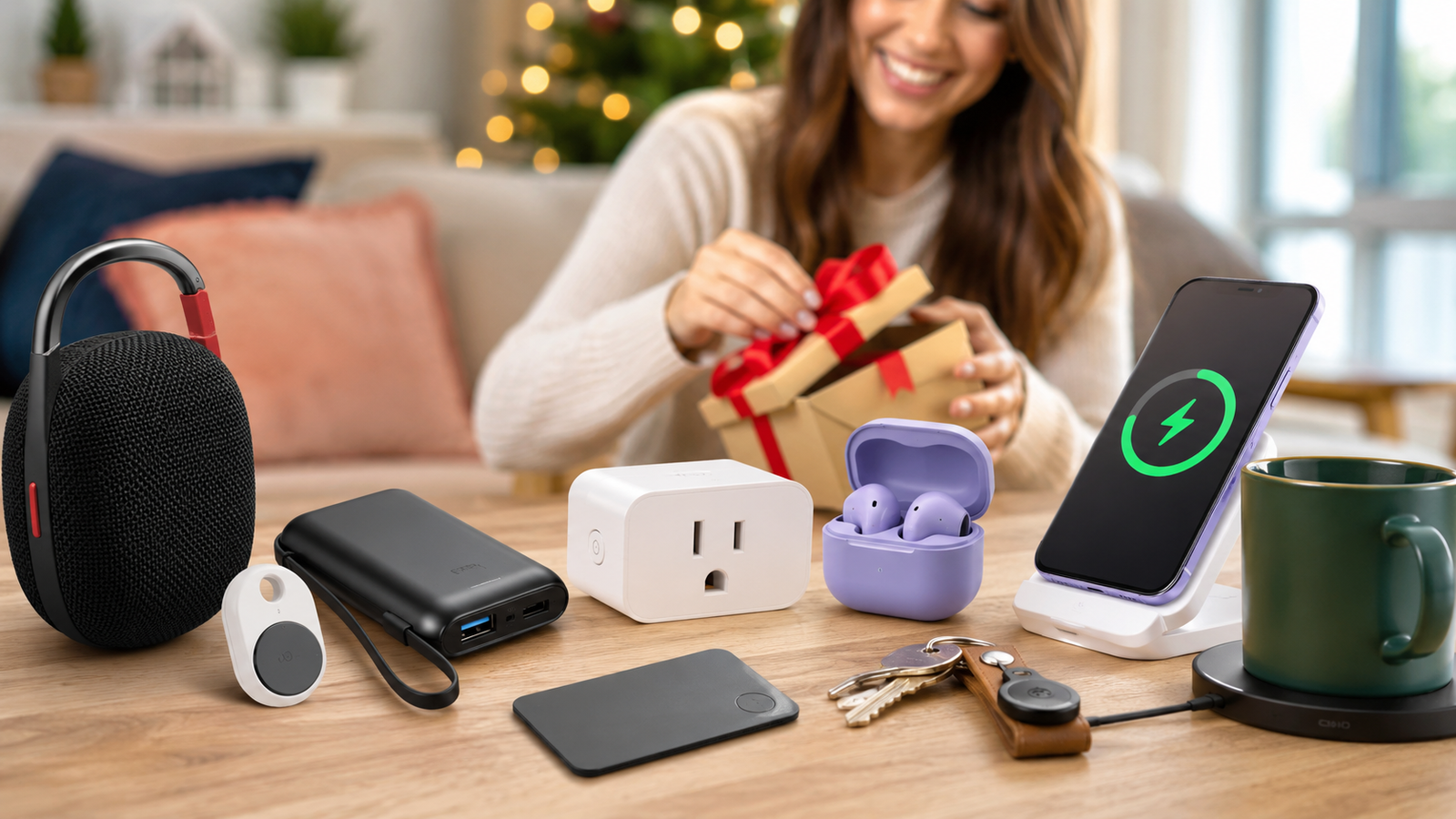
Here’s the dirty secret about budget tech gifting: too much of it ends up in a drawer by March. The $12 gizmo that looked clever in a listing photo turns out to solve a problem nobody had. You already know the feeling — that’s exactly the trap this guide is built to avoid.
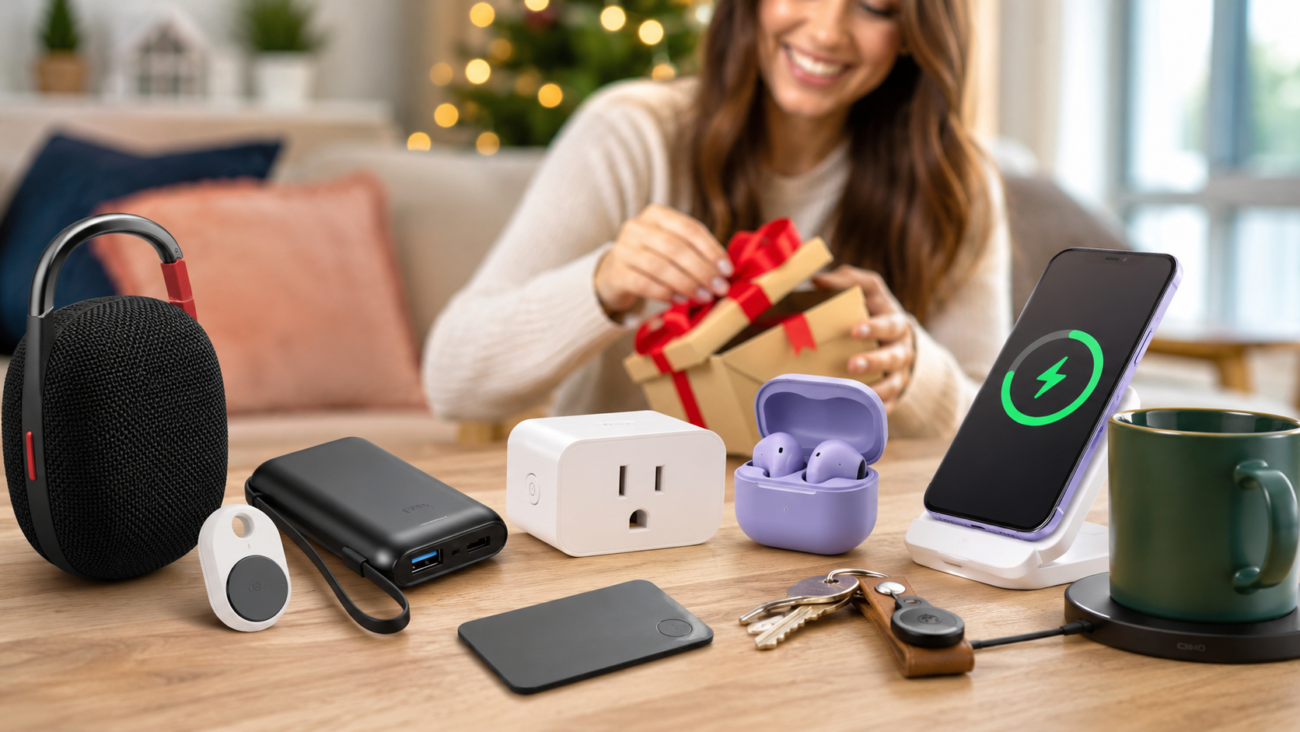
So this guide does the opposite. Every one of these best tech gifts under $50 earns its desk space (or pocket space, or keyring space) because it does one thing genuinely well. No novelties. No “smart” junk that needs three apps and a PhD. We dug through current pricing, real reviewer sentiment, and the actual spec sheets to separate the gifts people keep from the gifts people quietly regift.
If you want one safe, near-universal pick, get the JBL Clip 5 — it’s tiny, tough, sounds far bigger than it looks, and almost nobody dislikes it. If your person is always hunting for keys, the Pebblebee Clip 5 is a smarter buy than an AirTag for most people. And if they’re forever at 4% battery, the Anker Nano Power Bank is the most “why didn’t I own this sooner” gift on the list.
Disclosure
This post contains affiliate links. As an Amazon Associate and a member of other affiliate programs, we earn from qualifying purchases — at no extra cost to you. We only recommend products we genuinely believe in. Learn more
Looking for a Quick Answer?
| Category | Pick | Why | Typical Price |
|---|---|---|---|
| Best Overall | JBL Clip 5 | Punchy, waterproof, clips to anything | ~$50–$80 |
| Best for the Key-Loser | Pebblebee Clip 5 | Rechargeable AirTag rival, works on Apple or Google | ~$30–$35 |
| Best for Dead-Battery Anxiety | Anker Nano Power Bank 10K | 30W, built-in cable | ~$30–$40 |
| Best Budget Earbuds | Anker Soundcore P31i | ANC + huge battery for the money | ~$40–$50 |
| Best First Smart-Home Gift | TP-Link Kasa Smart Plug | No hub, just works | ~$10–$20 |
| Best for the iPhone Crowd | Anker MagGo Qi2 Pad | MagSafe speed at half the price | ~$25–$35 |
| Best Cozy Desk Gift | Mug Warmer (Bestinnkits / Mr. Coffee tier) | Keep coffee hot for hours | ~$20–$30 |
| Best Wallet-Safe Tracker | Pebblebee Card 5 | 1.8mm thin, 18-month battery | ~$35 |
In This Guide
Why “Under $50” Is the Hardest Tech Budget to Shop
Fifty bucks is a weird threshold. It’s enough that the gift should feel real, but not enough to absorb a bad decision. Spend $300 and the product carries itself. Spend $15 and nobody’s heartbroken when it flops. The $50 zone is exactly where marketing photos do the most damage, because the gap between “looks great in a grid” and “still in use by summer” is widest.
The fix is boring but reliable: buy gadgets that do one job and do it without friction. The single biggest predictor of whether a cheap gadget survives isn’t its feature count — it’s whether it works the moment it’s unboxed, with no hub, no subscription wall, and no fifteen-minute setup. That’s the lens we used for every pick below.
Cost-Per-Use: Which Budget Tech Gifts Deliver the Most Value
Here’s a quick way to think about it that aggregators never bother to compute. Take the price, divide by how many days a year it’ll plausibly get used.
- A mug warmer at ~$25, used ~200 workday mornings a year, lands around $0.13 per use in year one — and it doesn’t expire, so year two it’s basically free.
- A power bank at ~$35 that saves your phone maybe 2–3 times a week (~130 rescues/year) is roughly $0.27 per rescue — and each rescue is the difference between having a phone and not.
- A novelty desk toy at $20 used twice before it’s forgotten is $10 per use. That’s the trap.
The math is rough on purpose. The point is the ranking, not the decimals: pick the things that get touched daily.
Best Tech Gifts Under $50 Compared
| Product | Best For | Typical Price (June 2026) | Standout Spec | Needs Extras? |
|---|---|---|---|---|
| JBL Clip 5 | Overall | ~$50–$80 | 12 hrs battery, IP67 | None |
| Pebblebee Clip 5 | Key tracking | ~$30–$35 | 130 dB siren, USB-C recharge | None (pick Apple or Google network) |
| Anker Nano Power Bank 10K | Charging on the go | ~$30–$40 | 30W, built-in USB-C cable | None |
| Anker Soundcore P31i | Budget earbuds | ~$40–$50 | Adaptive ANC, ~50 hr total | App optional; translation needs sub |
| TP-Link Kasa Smart Plug | Smart home starter | ~$10–$20 | Energy monitoring, no hub | Wi-Fi 2.4 GHz + app account |
| Anker MagGo Qi2 Pad | iPhone charging | ~$25–$35 | 15W Qi2 magnetic | Needs your own USB-C wall charger |
| Mug Warmer (basic) | Desk / coffee lover | ~$20–$30 | Auto-shutoff on most | None |
| Pebblebee Card 5 | Wallet tracking | ~$35 | 1.8mm thin, 18-mo battery, Qi charge | Pick Apple or Google network |
Prices are ranges as of June 2026 and move constantly — especially around Prime Day. Always check the live price before buying.
The Picks: Best Tech Gifts Under $50
🏆 JBL Clip 5 — The One You Buy When You’re Not Sure What to Buy
Start here. If you only read one entry, read this one.
The Clip 5 is the rare gift that’s almost impossible to get wrong. It’s the size of a soda can, it clips to a backpack strap or a shower rail or a tent pole, and it sounds wildly bigger than it has any right to. That’s the emotional center of this thing — the little gasp when someone hears how much sound comes out of a palm-sized brick.
Reviewers consistently praise three things: the redesigned, wider carabiner (one tester called it the part JBL “finally perfected”), the IP67 rating that shrugs off pool dunks and rain, and battery life that holds up in the real world. JBL officially rates it at up to 12 hours, and independent testing backs that up — one lab measured about 11.5 hours at moderate volume, while NBC Select’s long-term reviewer cited up to 15 hours in lighter use. Crank it to compete with wind and traffic and you’ll see closer to 8–10 hours. The 2026 upgrade over the Clip 4 is real, not cosmetic: output rose from 5W to 7W (confirmed on JBL’s spec sheet), and it finally connects to the JBL Portable app for a proper 5-band EQ.
It’s not flawless, and the flaws are worth naming because they decide who it’s for. A recurring complaint is that the stock tuning strains a little on vocals past ~75% volume — fixable in the EQ, but worth knowing. The bigger limitation for some: while JBL’s spec sheet lists a built-in mic, the Clip 5 is not designed as a speakerphone and there’s no aux port — it’s a Bluetooth-only listening speaker, not a calls device. For a gift recipient who wanted hands-free calling, look elsewhere. For everyone else, it’s a non-issue.
Who loves it: travelers, students, anyone with a shower routine, anyone outdoorsy. Who returns it: people who wanted room-filling house audio (the Clip is built for adventures, not as a living-room centerpiece) or hands-free calling.
Pick the JBL Clip 5 over a cheaper no-name speaker if durability and brand-backed sound matter — the IP67 rating and Auracast pairing are the difference. Pick a JBL Go 4 instead if budget is tighter and you can live with less bass and a smaller carabiner; step up to a Flip 7 if they really want louder, fuller sound and you can stretch past $50.
✓ Pros
- Sounds far bigger than its size; genuine bass
- IP67 — survives pool, rain, dust, sand
- Up to 12 hrs rated (real-world ~8–12 by volume)
- Redesigned carabiner clips to almost anything
- App EQ + Auracast multi-speaker pairing
— Limitations
- Not built for calls (no speakerphone function); no aux input
- Bluetooth-only
- Vocals can strain at high volume on stock EQ
- Often creeps above $50 unless on sale

Pebblebee Clip 5 — A Smarter Tracker Than the AirTag for Most People
If your giftee is the type who texts “found my keys, never mind” twice a week, this is the gift.
The Pebblebee Clip 5 quietly out-features Apple’s AirTag in nearly every way that matters for a gift. It recharges over USB-C instead of begging for CR2032 batteries. It has a built-in keyring loop and ships with a carabiner — no $15 holder accessory required. It has bright LED strobes for finding it in the dark or under couch cushions. And it works on either Apple Find My or Google Find Hub, so it isn’t locked to an iPhone the way an AirTag is. One reviewer who set out to defend AirTags came away admitting Pebblebee “gives you more features for sure.”
The hard numbers reviewers cite: a 130 dB siren that one tracker-focused reviewer calls the loudest of any mainstream Bluetooth tracker, a long rated Bluetooth range (Pebblebee lists ~500 ft, well beyond a typical AirTag’s everyday Bluetooth reach), and about 12 months per charge — all at around $35 with no subscription. There’s also a QR-code “if found” feature and a Safety Circle alert that AirTag simply doesn’t offer.
So why doesn’t everyone switch? One specific, recurring caveat: no UWB Precision Finding. AirTag’s killer trick is the on-screen arrow that walks you directly to the item, room by room. Pebblebee can’t do that — it rings loud and flashes bright instead. For one reviewer, that arrow was decisive: half his key-hunts end with the keys locked in a car in the garage, where a siren behind drywall doesn’t help but directional guidance does. Worth flagging too: you choose one network at setup, and switching later means a factory reset.
Who loves it: Android users (this is the standout pick for them), anyone who hates battery swaps, people who find by sound. Who’s better served elsewhere: deep-Apple households who want the Precision Finding arrow.
Pick the Pebblebee Clip 5 over an AirTag 2 if they’re on Android, want rechargeable convenience, or value a louder siren and LEDs. Pick the AirTag 2 instead if they’re all-in on Apple and want UWB Precision Finding’s walk-right-to-it arrow. Pick the Pebblebee Card 5 (below) instead if the target is a wallet, not a keyring.
✓ PROS
- USB-C rechargeable — no battery hunting (~12 mo/charge)
- Built-in loop + carabiner included
- Loud 130 dB siren + bright LEDs
- Works on Apple Find My or Google Find Hub
- ~$35, no subscription
— Limitations
- No UWB Precision Finding (no directional arrow)
- One network only; switching needs a factory reset
- Larger than an AirTag
- Bluetooth 5.4 (no future Channel Sounding)
Anker Nano Power Bank (10K, 30W) — The Gift That Ends “My Phone’s About to Die”
The single best thing about this power bank is the part everyone forgets to pack: the cable is built in. It folds into the body. Pull it out, plug in, done. No fishing through a bag for a tangled cord, no realizing at the airport that you left it at home. That one design choice is why reviewers keep calling it “the power bank you’ll actually carry.”
At 10,000 mAh, it’s good for roughly 1.5–2 full phone charges, and the 30W output gets a compatible iPhone or Galaxy to about 50% in ~25–30 minutes (actual speed depends on the phone — devices that don’t support fast charging won’t hit that). There’s a digital display showing exact battery percentage, plus a second USB-C and a USB-A port so two people can charge at once. It’s pocketable at around 0.44 lb. Buyers across retailers describe it as a daily-carry essential and praise the sturdy integrated cable and quick top-ups.
Be honest with the recipient about two limits. First, real usable capacity is lower than the headline number — Anker itself notes that conversion losses leave roughly 5,500–7,000 mAh of usable output, normal for any power bank but worth knowing so nobody expects four full charges. Second, 30W means laptops are off the table and there’s no built-in Lightning cable, so older iPhones (14 and earlier) need the Lightning version or an adapter. One legitimate gripe from buyers: no wall charger is included in the box.
A note for travelers: at least one buyer reported a unit lacking a clearly visible certification mark that some airlines ask for on power banks. It appears to be an isolated complaint rather than a known defect, but if it’s a gift for a frequent flyer, a quick check of the printed specs before a trip doesn’t hurt.
Pick the 30W Nano if they mainly charge a phone or two and want the smallest, cheapest “just works” option. Pick the 45W retractable version instead if they want a touch more speed and a cable that auto-locks to length (rated for 20,000+ retractions) — it lists higher (~$50–$60) but goes on sale often. Skip both and go bigger if they need to charge a laptop or a Switch.
✓ PROS
- Built-in USB-C cable — nothing to forget
- 30W fast charging (~50% in ~25–30 min)
- Digital % display
- Extra USB-C + USB-A ports
- Genuinely pocketable
— Limitations
- ~5,500–7,000 mAh usable (efficiency losses)
- 30W won’t charge laptops
- No wall charger included
- Older iPhones need the Lightning variant
Anker Soundcore P31i — Outrageous Feature Count for the Money
For the person who wants earbuds but you don’t want to spend AirPods money, these are the value play. Adaptive ANC, multi-device pairing, LDAC, an EQ in the app, and a combined battery life around 50 hours with the case — that’s a spec sheet that “embarrasses most earbuds at this price,” in one reviewer’s words.
Reviewers single out the battery and the sheer breadth of features as the headline. The ANC is described as a step below pricier Anker models but still solid for cutting plane rumble and traffic. They’re light and comfortable for long sessions, around 7 hours per charge with ANC on.
The honest caveats: the stock sound is bass-heavy with a rolled-off treble that can make vocals sound, per one lab review, “simultaneously honky and dull” — though the Vocals EQ preset reins it in. There’s also distortion at high volume on some budget Anker models in this tier, and one detail to flag for gift-givers: the much-advertised real-time AI translation has been reported to require a paid subscription after a trial period, so don’t sell it as a free-forever feature (Anker’s terms here have shifted before — worth confirming current status before gifting).
Pick the P31i if you want maximum features for ~$40–$50. Pick the Soundcore Space A40 instead if ANC quality matters most — it’s frequently named the best sub-$50 pair, though it sometimes drifts just over $50. Pick the CMF Buds 2 if they want the trendiest budget option with strong ANC.
✓ PROS
- Adaptive ANC, multipoint, LDAC at a budget price
- ~50 hr total battery with case
- Comfortable, lightweight fit
- App EQ customization
— Limitations
- Bass-heavy stock tuning; vocals can sound dull
- Translation feature needs a subscription
- ANC a step below pricier models
- Possible distortion at high volume
TP-Link Kasa Smart Plug — The Perfect “First Smart-Home Thing”
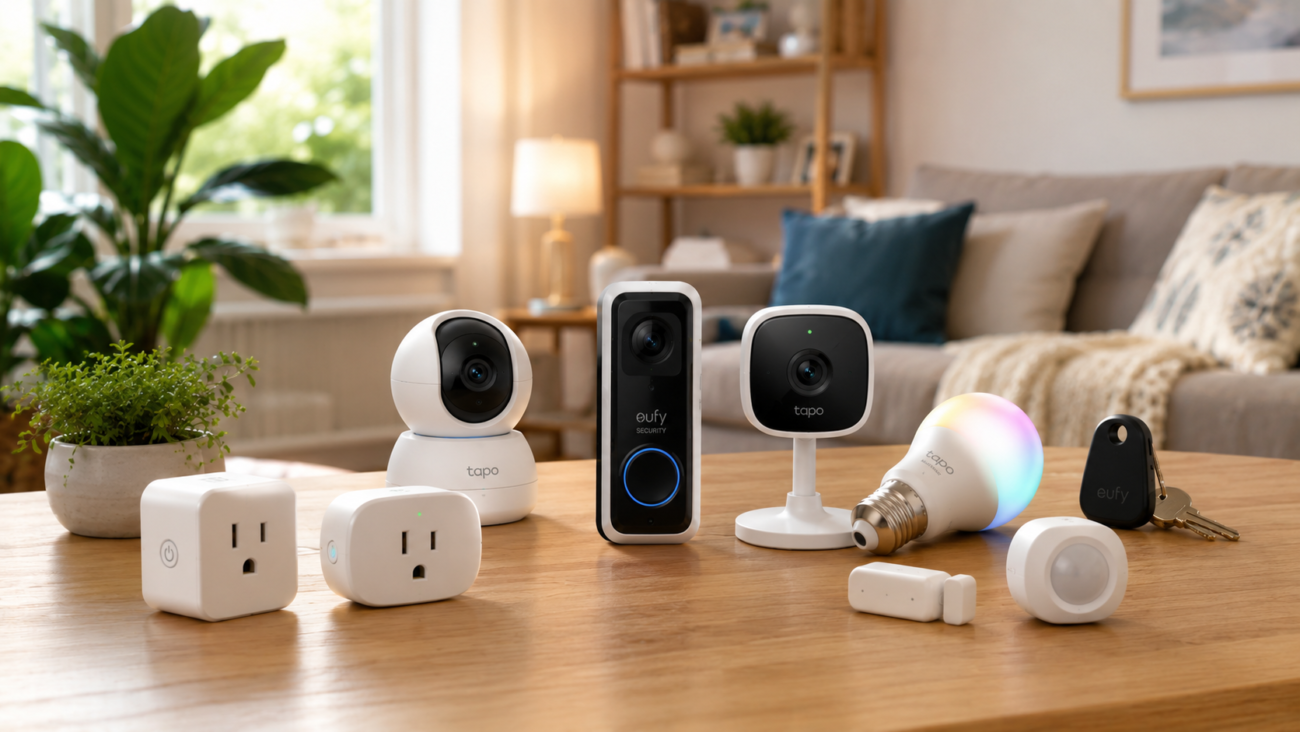
This is the gift that turns a lamp into “Alexa, turn on the lamp” — and it does it without a hub, which is exactly why it’s a good gift. No extra box to buy, no ecosystem lecture. Plug it in, open the Kasa app, done in about three minutes.
It’s the most-recommended smart plug across the major review outlets year after year. Reviewers praise its long-term reliability (one logged zero dropped connections over a 60-day test), the built-in energy monitoring in real kilowatt-hours, and a compact body that doesn’t block the second outlet. It works with Alexa, Google Home, and SmartThings.
Two things to set expectations on. It’s 2.4 GHz Wi-Fi only (fine for a plug, and better for range — but the phone may need to hop off 5 GHz during setup), and it requires a free Kasa account. Reliability is strong but not perfect: in one long-term review of the popular HS103 model, about 4% of users reported a unit failing within 6–12 months, and some need a reset after power outages. For HomeKit specifically, look for the EP25 variant; for outdoor use, the EP40A.
Pick the standard Kasa plug if you want the cheapest reliable, hub-free option (often ~$7–$10 each in multipacks). Pick the Kasa KP125M if they care about Matter support and want it to work seamlessly across Apple, Google, and Alexa. Pick a Meross Mini if they’re on Apple HomeKit and want the lowest price.
✓ PROS
- No hub required
- Energy monitoring in kWh
- Works with Alexa, Google, SmartThings
- Compact — won’t block the next outlet
- Very strong reliability track record
— Limitations
- 2.4 GHz Wi-Fi only (setup quirk on 5 GHz phones)
- Requires a Kasa account
- Standard model isn’t Matter-certified
- Small % of long-term failures reported
Anker MagGo Qi2 Pad — MagSafe Magic at Roughly Half the Price
For an iPhone person, the appeal here is dead simple: the phone snaps into place and charges, every time, with none of the “did it actually line up?” guesswork of old wireless pads. The MagGo is Qi2-certified at 15W — the same magnetic alignment and speed as Apple’s own MagSafe pad — for around $25–$35, which reviewers repeatedly flag as the best-value Qi2 charger on the market and the one most people should just buy.
The one thing to tell the recipient so they’re not disappointed on day one: you supply your own USB-C wall charger (ideally a decent PD adapter), or it won’t hit full speed. That’s standard for chargers in this class, but it’s the most common source of “why is it slow” confusion. There is also an option to include an adapter as a bundle but it will cost more.
Pick the MagGo pad if they want simple, reliable, fast magnetic charging on a budget. Pick the Spigen ArcField stand if they’d rather have a $24-ish stand that props the phone upright. Step up to a MagGo 3-in-1 if they also want to charge an Apple Watch and AirPods together (usually above $50).
✓ PROS
- True Qi2 15W magnetic alignment
- ~Half the price of Apple’s MagSafe pad
- Compact, reliable, Anker warranty
- Works with iPhone 12–17 and Qi2 Android
— Limitations
- No wall charger included
- 15W max (not the 25W of newer Qi2.2 on iPhone 16/17)
- Single-device only
- Needs a MagSafe case for Android phones
A Mug Warmer — The Quietly Beloved Desk Gift
Not everything needs a chip in it. A simple mug warmer is one of those gifts that gets a polite “oh, thanks” on opening and a genuinely grateful text three weeks later, because it solves the small daily tragedy of coffee going cold during a meeting.
The sweet spot for gifting is a basic warming plate in the ~$20–$30 range — think Bestinnkits, Mr. Coffee, or similar. Reviewers note the nicest budget versions turn on when a mug is placed on top and off when it’s removed, which is both convenient and a real safety plus. Most include some form of auto-shutoff. They won’t get coffee piping hot from cold — that’s not the job — they hold a hot drink hot.
A couple of honest notes. Cheaper warming plates heat slowly; in CNN Underscored’s testing, a budget Cosori took about 90 minutes to raise a drink 15°F, so set expectations: this maintains heat, it doesn’t reheat fast. And if your giftee is a serious coffee obsessive, the app-connected Ember Mug 2 is the dream gadget — but it runs around $150, well outside this list, and its replacement parts get pricey.
Pick a basic warming plate if you want a safe, universally-liked sub-$30 gift. Pick a self-heating travel mug (e.g., Muggo/Thermacup tier) instead if they’re commuters who want heat on the move. Save the Ember for a much bigger budget.
✓ PROS
- Solves a real daily annoyance
- Most have auto-shutoff / mug-detection
- Quiet, no app, no setup
- Genuinely budget-friendly
— Limitations
- Maintains heat; slow to reheat cold drinks
- Budget models heat unevenly
- Not “smart” (that’s the Ember, and it’s $150)
Pebblebee Card 5 — The Tracker That Actually Fits a Wallet
A quick honorable mention for a specific person: the one who loses their wallet, not their keys. A round tracker puck doesn’t fit a card slot. The Pebblebee Card 5 is 1.8mm thin, recharges wirelessly via Qi, and is rated for an impressive ~18 months per charge with an IP66 rating. Like the Clip 5, it rides on Apple Find My or Google Find Hub and costs about $35.
It shares the Clip 5’s one real gap — no Precision Finding — and lacks the Clip’s Safety Circle alert. But for slipping into a wallet or a passport holder, nothing puck-shaped competes.
Pick the Card 5 over the Clip 5 if the target is a wallet or anything that needs to stay flat. Pick the Chipolo CARD instead if they want the newer Bluetooth 6.0 standard and customizable ringtones.
Check Price on AmazonProduct Specifications Comparison
| Product | Battery / Power | Connectivity | Durability | Key Number | One-Line Verdict |
|---|---|---|---|---|---|
| JBL Clip 5 | Up to 12 hrs (+3 hr Boost) | Bluetooth 5.3, Auracast | IP67 waterproof/ dustproof | 7W output | Best all-rounder, no real weaknesses |
| Pebblebee Clip 5 | ~12 mo per USB-C charge | Apple Find My or Google Find Hub | Water-resistant | 130 dB siren, long BT range | Beats AirTag on everything but Precision Finding |
| Anker Nano 10K | 10,000 mAh (~1.5–2 phone charges) | Built-in USB-C + extra USB-C/USB-A | Polycarbonate shell | 30W output | The cable’s attached — that’s the magic |
| Soundcore P31i | ~7 hr (ANC on) / ~50 hr w/ case | Bluetooth, LDAC, multipoint | IPX-rated splash resist | Adaptive ANC | Absurd feature count for the price |
| Kasa Smart Plug | Mains powered | 2.4 GHz Wi-Fi, no hub | Indoor | Energy monitoring (kWh) | The “it just works” smart-home gateway |
| Anker MagGo Qi2 Pad | Mains powered | Qi2 15W magnetic | Indoor | 15W Qi2 | MagSafe alignment, half the price |
| Mug Warmer (basic) | Mains powered | None | Desk appliance | Auto-shutoff (most) | Quiet, useful, universally liked |
| Pebblebee Card 5 | ~18 mo per Qi charge | Apple Find My or Google Find Hub | IP66 | 1.8 mm thin | The tracker that actually fits a wallet |
What to Look For in Budget Tech
A few principles separate the keepers from the drawer-fillers, and they’re worth internalizing before you click buy.
Friction is the enemy.
The best budget gadgets work the instant they’re unboxed. Anything that needs a hub, a paid subscription to unlock its headline feature, or a fussy multi-step pairing dance is fighting an uphill battle to stay in someone’s routine. This is why “no hub required” and “built-in cable” keep showing up in our picks — they remove the exact moments where a gift gets abandoned.
Watch the hidden extras.
Several genuinely good products in this category quietly assume you’ll supply something: the MagGo pad needs your own USB-C wall charger, the Anker Nano omits a wall plug, older iPhones need a Lightning variant, and a smart plug needs 2.4 GHz Wi-Fi. None of these are flaws exactly, but a gift that “doesn’t work out of the box” feels like one. Know the dependency before you give it.
Durability and water resistance punch above their weight.
An IP67 rating (JBL Clip 5) or a rechargeable battery (Pebblebee) isn’t just a spec — it’s the difference between a gadget that lasts years and one that dies the first rainy hike or dead-battery panic. For something that’ll get tossed in bags and dropped, ruggedness is a feature.
Brand reliability is worth a few dollars.
In a category flooded with near-identical no-name listings, names like Anker, JBL, TP-Link, and Pebblebee earn their slight premium through warranties, working apps, and the simple fact that they’re still around to honor a return. A $12 mystery-brand version of any of these is usually a false economy.
How to Choose the Gifts by Recipient
Forget spec sheets for a second. The fastest way to land a great sub-$50 tech gift is to picture the person’s most common tiny frustration and buy the cure.
- If they’re always losing things, you’re choosing between trackers — get the Pebblebee Clip 5 for keys, the Card 5 for a wallet, and only reach for an AirTag if they’re deep in Apple and want that directional arrow.
- If their phone is perpetually dying, the Anker Nano is almost a reflex purchase; the built-in cable is what makes it stick. If they’re into music, the outdoors, or long showers, the JBL Clip 5 is the no-brainer.
- If they want better earbuds without the price, the Soundcore P31i punches absurdly above its weight.
- And if they’re curious about smart-home stuff but intimidated by it, the Kasa plug is the gentlest possible on-ramp — one plug, one app, instant payoff.
Two combos that feel like more than the sum of their parts: a power bank + the built-in cable is a single self-contained “never stranded” kit, and a smart plug + a lamp they already own turns an ordinary object into their first taste of automation. Stack a couple of small picks and a $50 budget starts to feel like a setup, not a stocking stuffer.
How We Chose the Best Tech Gifts Under $50
We didn’t pull these from a single store shelf. Each pick had to clear three filters. It had to stay under $50 at its typical street price (a few drift slightly above on bad days — we flag those). It had to solve a real, recurring frustration rather than be a novelty. And it had to hold up under actual reviewer sentiment, not just marketing copy — so we read across outlets like RTINGS, SoundGuys, Engadget, CNN Underscored, Tom’s Guide, and verified buyer reviews, then cross-checked every spec against the manufacturer’s own sheet. Where reviewers disagreed, we said so. Where a claim couldn’t be verified, we cut it. Specs and pricing below were last verified in June 2026.
Frequently Asked Questions
What is the best tech gift under $50 overall?
The JBL Clip 5 is the best all-around tech gift under $50 for most people. It’s waterproof (IP67), clips to almost anything, lasts up to 12 hours, and sounds far bigger than its size — and it appeals to nearly everyone regardless of age or tech comfort. Note it often sells slightly above $50 unless it’s on sale.
Is the Pebblebee Clip 5 really better than an Apple AirTag?
For most people, yes — it recharges via USB-C, has a built-in keyring loop, a louder 130 dB siren, bright LEDs, and works on both Apple Find My and Google Find Hub, all for around $35. The one thing it lacks is AirTag’s UWB Precision Finding (the on-screen directional arrow). If that feature matters and the recipient uses an iPhone, choose the AirTag 2 instead.
How many phone charges does the Anker Nano 10,000 mAh provide?
Roughly 1.5 to 2 full charges for a typical phone. The 10,000 mAh headline figure drops to about 5,500–7,000 mAh of usable capacity after normal conversion losses, which is standard for all power banks.
Do smart plugs need a hub?
No — the TP-Link Kasa smart plug and most popular Wi-Fi smart plugs connect directly to your 2.4 GHz home Wi-Fi and work with Alexa, Google Home, and SmartThings without any separate hub. You’ll just need a free app account to set it up.
Does the Anker MagGo Qi2 charger come with a wall plug?
No. Like most Qi2 chargers in this price range, you need to supply your own USB-C wall charger (a PD adapter is recommended) to reach full 15W charging speed. This is the most common reason people think a budget wireless charger is “slow.”
Will a mug warmer reheat cold coffee?
Not quickly. Budget warming plates are designed to keep a hot drink hot for hours, not to reheat a cold one — some can take well over an hour to raise the temperature noticeably. For the recipient who wants precise, app-controlled heat, the Ember Mug 2 does that, but it costs around $150.
Final Thoughts
Best Tech Gifts Under $50
If there’s one lesson in researching the best tech gifts under $50, it’s that the winners aren’t the flashiest gadgets — they’re the ones that quietly erase a small daily annoyance and keep doing it for years. That’s the whole game in this price bracket.
So if you want a single safe answer: buy the JBL Clip 5. It’s the closest thing to a universal crowd-pleaser on this list, and the odds of it ending up in a drawer are about as low as tech gifting gets. If the person in your life is more “where are my keys” than “let’s have a beach playlist,” make it the Pebblebee Clip 5 instead — it’s genuinely the smarter buy than an AirTag for most people. And if they’re forever nursing a dying phone, the Anker Nano with its built-in cable is the gift they’ll mention to you, unprompted, weeks later.
Pick the frustration, buy the cure, and check the live price before you click — these move fast, especially around Prime Day.
*Prices listed reflect typical ranges at time of publication. Always check current listings for the most accurate pricing. This article contains affiliate links — purchases made through these links support Techconxt at no additional cost to you.*