Blog

📖
Smart home devices can look affordable at checkout, then become expensive after monthly cloud storage fees kick in. Cameras, doorbells, and security devices are the biggest offenders — a $40 camera can quietly cost more in subscriptions over two years than the hardware itself.
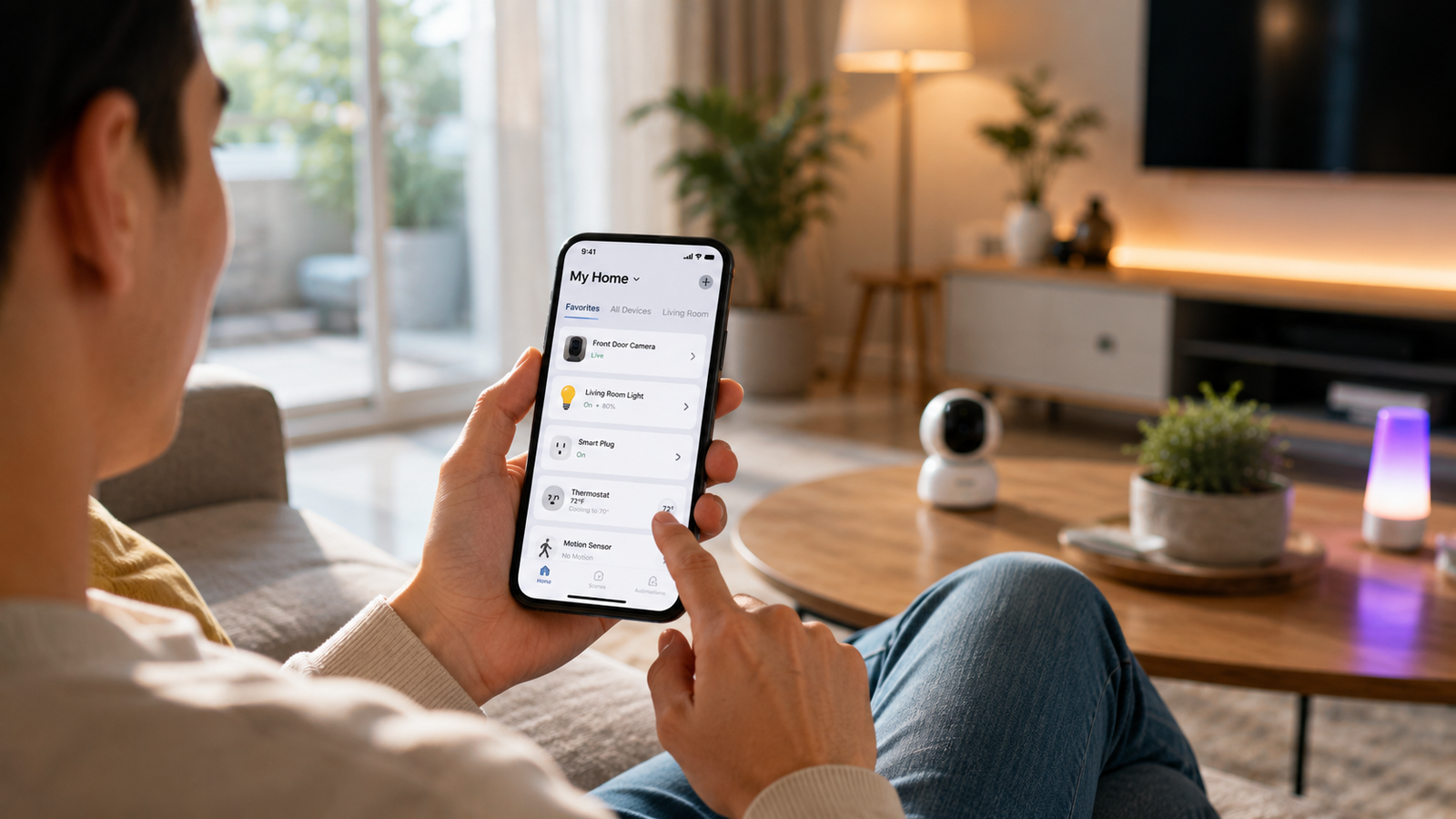
The better option is a subscription-free smart home setup. These devices use local storage, free app alerts, Wi-Fi automation, or hub-based controls instead of pushing you into another monthly bill.
This guide covers the best budget smart home devices without subscriptions — cameras, plugs, lights, sensors, and doorbells that are practical for beginners and cost-effective long term.
What to look for:
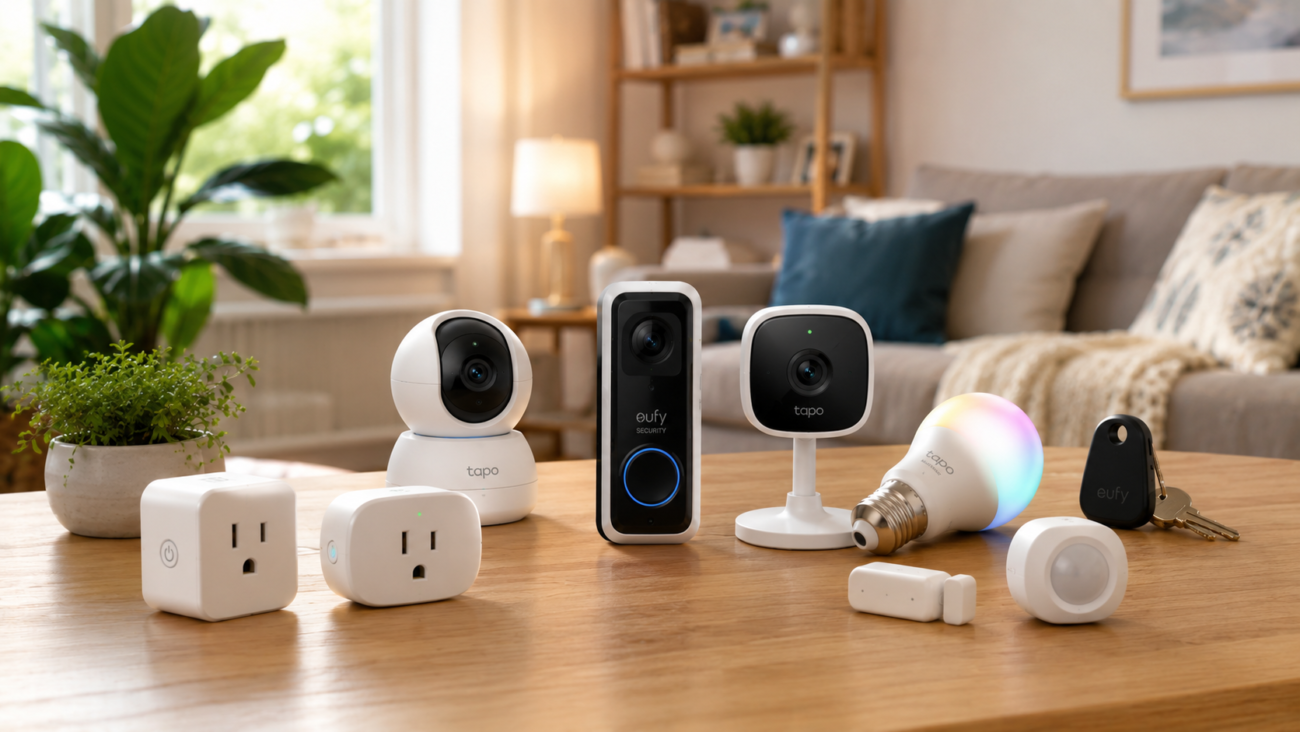
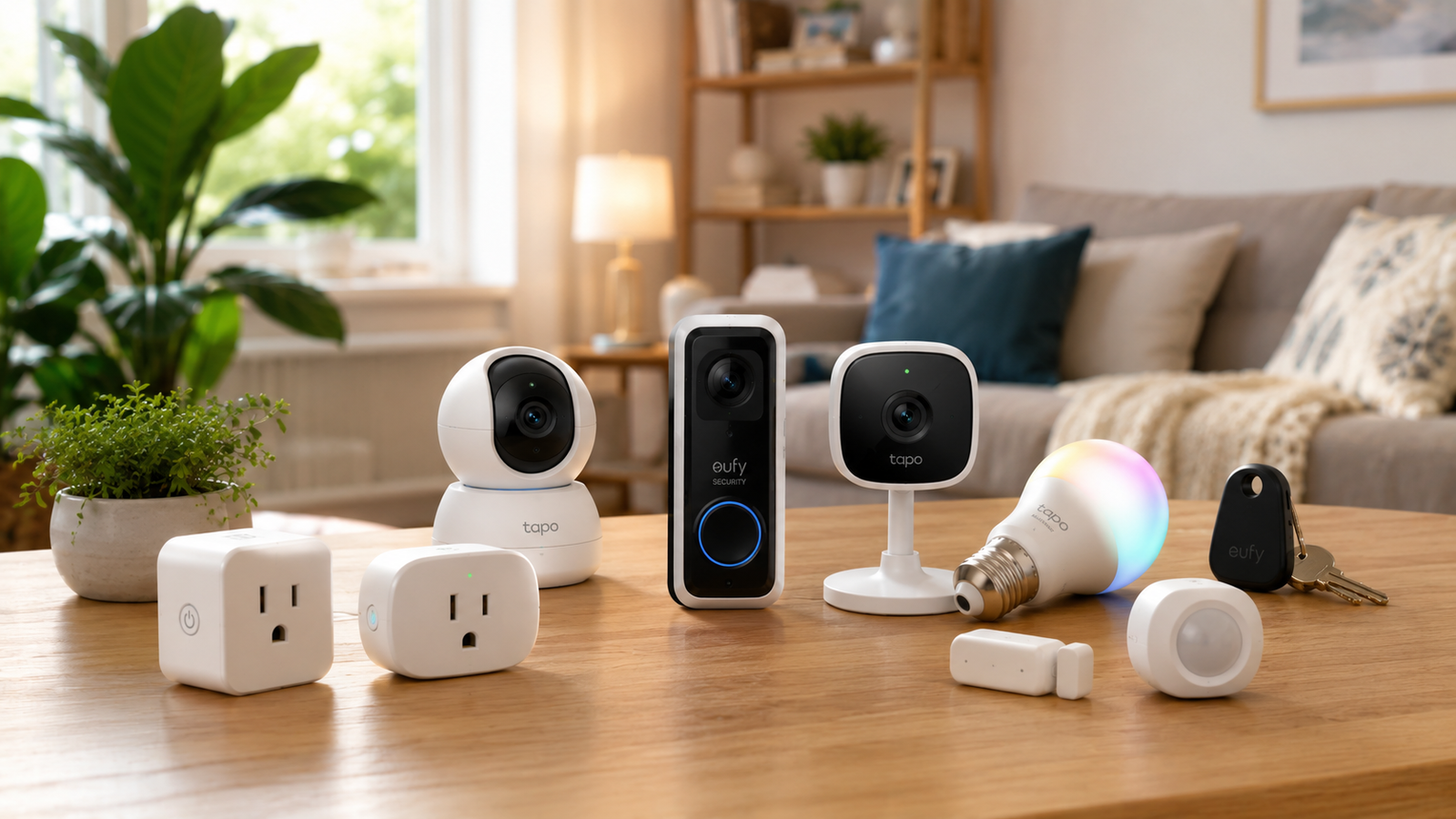
The best budget smart home devices without subscriptions are products that offer local storage, free app alerts, or direct Wi-Fi automation without requiring monthly cloud plans. Good examples include local-storage cameras, smart plugs, smart bulbs, motion sensors, contact sensors, and video doorbells from brands like TP-Link, Eufy, Wyze, Reolink, and Aqara.
For most beginners, the best subscription-free smart home device is the TP-Link Tapo C120. It offers 2K video, local microSD recording, free app alerts, indoor/outdoor use, and no required monthly plan.
In This Guide
Disclosure
This post contains affiliate links. As an Amazon Associate and a member of other affiliate programs, we earn from qualifying purchases — at no extra cost to you. We only recommend products we genuinely believe in.Learn more
Our Top Picks
| BEST FOR | PRODUCT |
|---|---|
| Best Overall | TP-Link Tapo C120 |
| Best Budget Camera | Wyze Cam v4 |
| Best Privacy Camera | Eufy Solo IndoorCam C220 |
| Best Smart Plug | TP-Link Kasa EP25 |
| Best Doorbell | Eufy Video Doorbell E340 |
| Best Sensor Setup | Aqara Door & Window Sensor + Motion Sensor P1 |
Why Subscription-Free Smart Home Devices Are Worth Considering
Lower Long-Term Cost
A $5/month camera subscription doesn’t sound like much until you do the math. That’s $60 a year, per camera. Run three cameras and a doorbell for five years and you’ve quietly spent over $1,000 on cloud storage for a system that cost maybe $200 in hardware.
Subscription-free devices flip that equation. You might spend $10–15 extra upfront on a microSD card, and then you’re done.
Better Privacy Control
When footage stays on a memory card inside your camera, it never travels to a company’s servers. You’re not trusting a third party to secure video of the inside of your home — there’s simply nothing on their servers to leak.
Local Storage vs Cloud Storage
- Cloud storage uploads recordings to the manufacturer’s servers. Convenient (footage survives if the camera is stolen), but almost always tied to a monthly fee..
- Local storage saves recordings to a microSD card or home hub. No fees and more privacy, but footage lives on the device..
Most picks below use local storage, with optional cloud as an upgrade — the ideal setup. Start free, add cloud only if you ever want it.
Who Should Buy Subscription-Free Smart Home Devices
This approach makes the most sense if you:
- Want home security or automation without another monthly bill.
- Care about privacy and prefer footage staying in your house.
- Are a renter or first-time buyer testing the smart home waters.
- Plan to expand and don’t want fees multiplying with each device.
If you need professional monitoring or guaranteed off-site backups, a paid plan may still suit you. For everyone else, the gear below covers the essentials.
Quick Comparison: Best Smart Home Devices Without Monthly Fees
| Product | Best For | Storage | Hub Required? | Price Range | Subscription Required? |
|---|---|---|---|---|---|
| TP-Link Tapo C120 | Best overall camera | microSD (512GB) | No | $35–$45 | No |
| Eufy IndoorCam C220 | Privacy / HomeKit | microSD | No | $35–$55 | No |
| TP-Link Kasa EP25 | Best smart plug | N/A | No | $15–$30 | No |
| Wyze Cam v4 | Best budget camera | microSD | No | $30–$40 | No |
| Eufy Doorbell E340 | Best doorbell | Local | No | $80–$130 | No |
| Aqara Door/Window Sensor | Entry security | Hub-based | Yes | $18–$25 | No |
| Aqara Motion Sensor P1 | Lighting automation | Hub-based | Yes | $20–$30 | No |
| TP-Link Tapo L535E | Best smart light | N/A | No | $10–$20 | No |
| Reolink E1 Pro | Pets & family | microSD | No | $45–$70 | No |
| Eufy SmartTrack Link | Item tracking | N/A | No (Apple device) | $20–$30 | No |
Prices change often, so check the product page for the latest price and availability.
Note: Cameras need a microSD card (sold separately). Aqara sensors need an Aqara Hub (one hub runs many sensors).
Best Budget Smart Home Devices Without Monthly Fees
TP-Link Tapo C120 – Best Overall
Price: $35-$45
Best for: Beginners who want reliable security without monthly fees
The camera that proves you don’t need a subscription to get premium features.
Overview: A compact indoor/outdoor security camera that records 2K QHD video directly to a microSD card (up to 512GB), with live viewing, motion detection, and color night vision through the free Tapo app.
Why we picked it: Color night vision and 2K resolution used to be flagship-tier extras. Here they’re standard, and your footage stays on a card you own.
Who it’s for: Homeowners, renters, and smart home beginners who want one camera that does almost everything well.
Who should skip it: Anyone who specifically wants guaranteed off-site cloud backups with professional monitoring.
Key Features:
- 2K QHD video
- Color night vision
- MicroSD up to 512GB
- Motion detection
- Alexa & Google Assistant
✓ Pros
- Excellent value for the feature set
- No subscription required for recording or alerts
- Fast, genuinely beginner-friendly setup
- One of the better free camera apps around
— Limitations
- microSD card sold separately (budget $10–15)
- A handful of cloud extras sit behind an optional plan — nothing essential
Practical use case: Watching a front porch for package deliveries, or checking on the dog from the office.
Required extra: microSD card

Eufy Solo IndoorCam C220 – Best for Privacy
Price: $35-$55
Best for: Privacy-focused indoor monitoring
A privacy-first indoor camera with AI detection that competitors usually charge monthly for.
Overview: A 2K indoor camera with AI person detection and local microSD recording, from a brand built around a “no monthly fees” promise.
Why we picked it: The AI person detection cuts false alerts dramatically, and HomeKit support is rare at this price.
Who it’s for: Families, pet owners, and apartment dwellers — especially Apple households.
Who should skip it: Anyone needing outdoor coverage; this is strictly an indoor camera.
Key Features:
- 2K resolution
- AI person detection
- Local microSD storage
- HomeKit support
✓ PROS
- Genuinely no subscription requiredy
- Sharp 2K image quality
- Smart detection reduces false alerts
- HomeKit support
— Limitations
- Indoor use only
Practical use case: Watching the hallway as a security layer, or confirming the cat stayed off the counter.
Required extra: microSD card
Check Price on AmazonTP-Link Kasa Smart Plug Mini EP25 – Best Smart Plug
Price: $15-$30
Best for: First-time smart home buyers
The cheapest, easiest way to find out what a smart home actually feels like.
Overview: Plug it into an outlet, plug a lamp or appliance into it, and that device gains app control, voice control, scheduling, and energy monitoring — no hub, no fees.
Why we picked it: Kasa’s app has been one of the most reliable in the category for years, and energy monitoring is included at this price.
Who it’s for: Beginners, students, and home office users starting from zero.
Who should skip it: Users wanting complex sensor-driven automation — plugs handle schedules and timers, not advanced logic.
Key Features:
- Wi-Fi connectivity
- Energy monitoring
- Alexa & Google Assistant
- No hub required
✓ PROS
- One of the most affordable smart home entry points
- Reliable, well-reviewed app
- Works out of the box with Alexa and Google
— Limitations
- Basic automation compared to sensor-based systems
Practical use case: A floor lamp that turns on at sunset by itself, or a space heater that shuts off automatically when you leave.
Required extra: None
Check Price on AmazonWyze Cam v4 – Best Ultra-Budget Camera
Price: $30-$40
Best for: The tightest budgets and multi-camera setups
A 2.5K weather-resistant camera priced like a takeout dinner.
Overview: A security camera with 2.5K video, color night vision, weather resistance, and local microSD recording at one of the lowest prices in the category.
Why we picked it: The 2.5K sensor out-resolves some pricier competitors, and the weather-resistant build means it works outdoors too.
Who it’s for: Budget-conscious buyers and first-timers building multi-camera coverage affordably.
Who should skip it: Users who want every AI feature included free — some of Wyze’s advanced detections sit behind an optional plan.
Key Features:
- 2.5K video
- Color night vision
- Local microSD storage
- Weather resistant
✓ PROS
- Hard to beat on price
- Strong feature set for the money
- Local recording works without any plan
— Limitations
- Some advanced AI features and cloud clips require Wyze’s optional subscription
Practical use case: Covering the backyard, garage, and side door with three cameras for the price of one premium camera.
Required extra: microSD card
Check Price on AmazonEufy Video Doorbell E340— Best Doorbell Without Subscription
Price: $80-$130
Best for: Front-door security without monthly fees
Front-door security in the category most notorious for subscription traps — without the trap.
Overview: A 1080p video doorbell with local storage, human detection, and free app alerts when someone’s at your door.
Why we picked it: The biggest doorbell brands essentially require a monthly plan to review footage. The C210 sidesteps that entirely.
Who it’s for: Homeowners and security-conscious renters who want front-door coverage with zero recurring cost.
Who should skip it: Anyone who needs to read fine detail at a distance — 1080p is fine for faces at the door, less so for a license plate at the curb.
Key Features:
- Local storage
- Human detection
- 1080p video
- App alerts
✓ PROS
- No subscription, ever — a genuine rarity in this category
- Dependable human detection
- Straightforward app experience
— Limitations
- Lower resolution than premium doorbells
Practical use case: Package monitoring and screening visitors from your phone, home or away.
Required extra: None
Check Price on AmazonAqara Door and Window Sensor — Best Contact Sensor
Price: $18-$25
Best for: Entry doors and ground-floor windows
The unsung workhorse that turns gadgets into a responsive home.
Overview: A small two-piece sensor that detects when doors or windows open and close, triggering alerts or automations.
Why we picked it: It’s the cheapest way to add real security awareness and automation triggers throughout a home.
Who it’s for: Smart home tinkerers building beyond a single camera or plug.
Who should skip it: Anyone unwilling to buy the required Aqara Hub — it’s a one-time cost, but it’s a cost.
Key Features:
- Long battery life
- Automation support
- Compact, near-invisible design
✓ PROS
- Reliable and inexpensive
- Set-and-forget battery life
— Limitations
- Requires an Aqara Hub (one hub supports many sensors)
Practical use case: A notification if the back door opens while you’re away, or hallway lights triggered by the front door at night.
Required extra: Aqara Hub
Check Price on AmazonAqara Motion Sensor P1 — Best Motion Sensor
Price: $20-$30
Best for: Hallways, bathrooms, staircases, closets
The device that makes your house respond to you.
Overview: Detects movement and reports it instantly to your smart home system, with adjustable sensitivity and a battery measured in years, not months.
Why we picked it: Fast detection, excellent battery life, and sensitivity adjustment that prevents pet-triggered false alarms.
Who it’s for: Anyone automating lighting, plus security-minded users wanting motion alerts in specific zones.
Who should skip it: Same caveat as above — it needs the Aqara Hub.
Key Features:
- Long battery life
- Adjustable sensitivity
- Fast response
✓ PROS
- Fast, reliable detection
- Outstanding battery life
- Pet-friendly sensitivity settings
— Limitations
- Requires an Aqara Hub
Practical use case: Dim hallway lights that turn on automatically during a 2 a.m. kitchen run.
Required extra: Aqara Hub
Check Price on AmazonTP-Link Tapo L535E — Best Smart Light
Price: $10-$20
Best for: Bedrooms, living rooms, home offices
Full-color smart lighting with no hub and no fees — screw it in and you’re done.
Overview: A Wi-Fi smart bulb with RGB color, dimming, scheduling, and voice control, connecting straight to your router.
Why we picked it: Hub-free bulbs removed the biggest barrier to smart lighting, and this is among the cheapest color options from a major brand.
Who it’s for: Renters, beginners, and anyone upgrading lighting one room at a time.
Who should skip it: Homes with unreliable Wi-Fi — app control depends on it (the wall switch still works).
Key Features:
- RGB color
- Scheduling
- Wi-Fi connection
- Voice assistant support
✓ PROS
- Very affordable for a color bulb
- No hub needed
- Solid scheduling and voice control
— Limitations
- Depends entirely on your Wi-Fi for smart features
Practical use case: Warm white for movie night, bright daylight for work, and a sunset schedule so you never come home to a dark house.
Required extra: None
Check Price on AmazonReolink E1 Pro — Best for Pet and Family Monitoring
Price: $45-70
Best for: Large open rooms, pets, family check-ins
A camera that follows the action instead of staring at one corner.
Overview: An indoor 2K camera with pan-and-tilt control, letting you sweep a whole room from your phone, with recordings saved locally to microSD.
Why we picked it: Pan/tilt at this price without a subscription is unusual. One E1 Pro can cover a space that might otherwise need two fixed cameras.
Who it’s for: Families, pet owners, and anyone wanting flexible room coverage from one device.
Who should skip it: Anyone needing outdoor coverage — it’s designed primarily for indoor use.
Key Features:
- 2K video
- Pan and tilt
- MicroSD storage
- Smart detection
✓ PROS
- Whole-room coverage from one camera
- Crisp 2K image quality
- No mandatory fees
— Limitations
- Indoor use primarily
Practical use case: Following a dog who knows exactly where a fixed camera’s blind spot is.
Required extra: microSD card
Check Price on AmazonEufy SmartTrack Link — Best Everyday Extra
Price: $20-$30
Best for: Keys, backpacks, suitcases
Ends the daily “where are my keys” panic — with no subscription, unlike some rivals’ premium tiers.
Overview: A small Bluetooth tracker for keys, bags, and luggage that works through Apple’s Find My network for free.
Why we picked it: It undercuts the name-brand alternative on price while using the same massive Find My network.
Who it’s for: Travelers, students, and the perpetually-misplacing-things crowd.
Who should skip it: Android users — this one is built for the Apple ecosystem.
Key Features:
- Apple Find My support
- Loud alarm
- Water resistant
✓ PROS
- Free Find My network access
- Water resistant
- Cheaper than the name-brand option
— Limitations
- Best with Apple devices only
Practical use case: Tracking checked luggage on a trip, or ringing your keys out of the couch cushions.
Required extra: Apple device
Check Price on AmazonOur Top Picks Summary
Not sure where to start? These three picks cover the most common situations.
🏆 Best Overall
It hits the sweet spot on every axis: under $45, 2K video, color night vision, indoor/outdoor flexibility, and recording that never asks for your credit card again. It’s the device we’d hand to someone buying their very first piece of smart home gear — and the one experienced users buy in multiples.
Check price →🧘 Best Premium Pick
Escapes the industry’s most aggressive subscription trap and typically pays for itself within 12–24 months versus subscription doorbells.
Check price →How to Build a Budget Smart Home Without Ongoing Fees
You don’t need everything at once. A sensible order:
- Start with a smart plug ($15–$30). Lowest cost, instant payoff, teaches you how apps and routines work.
- Add a camera ($30–$45). The Tapo C120 or Wyze Cam v4 plus a microSD card gives you real security for under $60 total.
- Layer in smart lighting ($10–$20 per bulb). One room at a time.
- Add a doorbell ($80–$130) when you’re ready for front-door coverage.
- Finish with sensors ($18–$30 each, plus an Aqara Hub). This is where automation gets genuinely smart.
Following this path, a complete subscription-free smart home lands around $200–$300 total. A comparable cloud-based setup could cost that much in fees alone every couple of years.
What to Look for Before Buying
Local Storage Support
Check maximum microSD capacity (the Tapo C120 supports up to 512GB) and whether the card is included — it usually isn’t. Confirm motion alerts and live viewing are free; with some brands, only the recording is.
App Quality
The app is the product, day to day. TP-Link (Tapo/Kasa), Eufy, Wyze, Reolink, and Aqara all have mature, well-reviewed apps. With lesser-known brands, skim recent app store reviews first.
Smart Assistant Compatibility
Decide which ecosystem you’re in — Alexa, Google Home, or Apple HomeKit — and check the box before buying. Everything in this guide supports Alexa and Google. For HomeKit, look at the Eufy C220 and Aqara sensors.
Privacy and Account Security
Even with local storage, the app still connects through the company’s servers for remote access. Enable two-factor authentication, keep firmware updated, and look for physical privacy shutters if privacy is your top priority.
Frequently Asked Questions
What smart home devices do not need a subscription?
Smart plugs, smart bulbs, local-storage cameras, video doorbells, motion sensors, and contact sensors can work without subscriptions if they support local storage or free app-based automation.
Are subscription-free security cameras worth it?
Yes. Subscription-free security cameras save money over time by recording to a microSD card or local hub instead of requiring paid cloud storage.
What is the best budget smart home device without a subscription?
For most beginners, the TP-Link Tapo C120 is one of the best options because it offers local recording, 2K video, free app alerts, and indoor/outdoor use at a low price.
Do smart plugs need a monthly fee?
No. Most smart plugs connect to Wi-Fi and allow app control, schedules, timers, and voice assistant support for free.
Do smart cameras still send alerts without a subscription?
Many smart cameras send free motion alerts without a subscription. Paid plans usually add cloud video storage or more advanced AI detection.
Is local storage better than cloud storage?
Local storage is better for avoiding monthly fees and keeping footage in your home. Cloud storage is better if you want off-site backup in case the camera is stolen or damaged.
Do I need a hub for smart home devices?
Some devices need a hub, especially sensors from brands like Aqara. Most cameras, smart plugs, and smart bulbs connect directly to Wi-Fi and do not need one.
Can I build a smart home without monthly fees?
Yes. A basic smart home with cameras, plugs, lights, sensors, and a doorbell can be built without monthly fees by choosing products with local storage and free app controls.
Final Thoughts
💡
Best Budget Smart Home Devices without Subscription
The smart home industry would love you to believe monthly fees are just the cost of doing business. The best budget smart home devices without subscription requirements prove otherwise. For roughly the price of one year of camera subscriptions, you can own a complete setup — camera, doorbell, lights, plugs, and sensors — that works exactly as well on day 1,000 as it did on day one.
- If you’re starting from scratch, grab the TP-Link Tapo C120 and a microSD card.
- If you’re stretching every dollar, the Wyze Cam v4 gets you remarkably far.
- And if there’s one place worth spending more, it’s the Eufy Video Doorbell E340.
Your smart home should work for you — not the other way around, and definitely not on a payment plan.
*Prices listed reflect typical ranges at time of publication. Always check current listings for the most accurate pricing. This article contains affiliate links — purchases made through these links support Techconxt at no additional cost to you.*